

Last updated: October 25, 2026
Quick Answer: In a bulk AI article architecture, map each topic into a page role first; a 3-column plan of topic, page type, and linked dependency is the fastest practical way to do it, and the work usually only pays off when dependencies matter across a larger content set. If you are unsure how to classify pages, consult a content strategist or SEO professional. Google Search Central explains the value of helpful, organized content.
In short: content architecture is the map that tells a bulk AI program which page types exist, what each page is for, and how they depend on one another before a single draft is generated. In bulk AI article architecture, that means naming the topic, the page role, and the dependency chain before writing begins. Google Search Central and Ahrefs on search intent both emphasize matching content to user needs.
If the goal is to publish at scale without creating a pile of near-duplicate articles, the answer is not “write faster.” It is to sort pages by role first, then attach each role to the right template, workflow stage, and internal dependency. That is what keeps a hub page from acting like a spoke page, or a support article from stealing the job of a commercial page.
What content architecture does in a bulk AI program
Content architecture is the structure that decides which article type exists, where it sits in the topic cluster, and what it needs from other pages. For a bulk AI program, that means defining the page role before defining the prompt. A page that explains a concept, a page that compares options, and a page that answers a narrow subquestion should not be built from the same brief, even if they share a keyword family.
This matters because bulk production multiplies mistakes as quickly as it multiplies output. If a site publishes 40 pages with no architectural map, the result is usually overlapping intent, thin internal linking, and pages that all sound like they were written from the same 600-word outline. A proper content architecture can help prevent that by giving each page type a job, but a content strategist or SEO professional should validate the setup for the site. One page earns the broad topic. Another page earns a narrow support query. A third page earns the conversion step.
Think of the model in three layers:
- Hub pages hold the main topic and carry the broadest search intent.
- Spoke pages cover subtopics, questions, or comparisons that feed the hub.
- Utility pages handle definitions, process support, or edge cases that the hub should not absorb.
A generic article can blur these roles, so it is worth checking the page intent before publishing. If the architecture is wrong, the AI prompt can still produce fluent prose, but it will be fluent in the wrong category.
One useful standard here is simple: if a page would make sense as the top node in a topic tree, it is a hub candidate. If it only makes sense after the reader has seen the hub, it is a spoke. If it exists to prevent confusion or answer a narrow operational question, it is a utility page. That distinction is what you map first.
Which content types should be in the taxonomy?
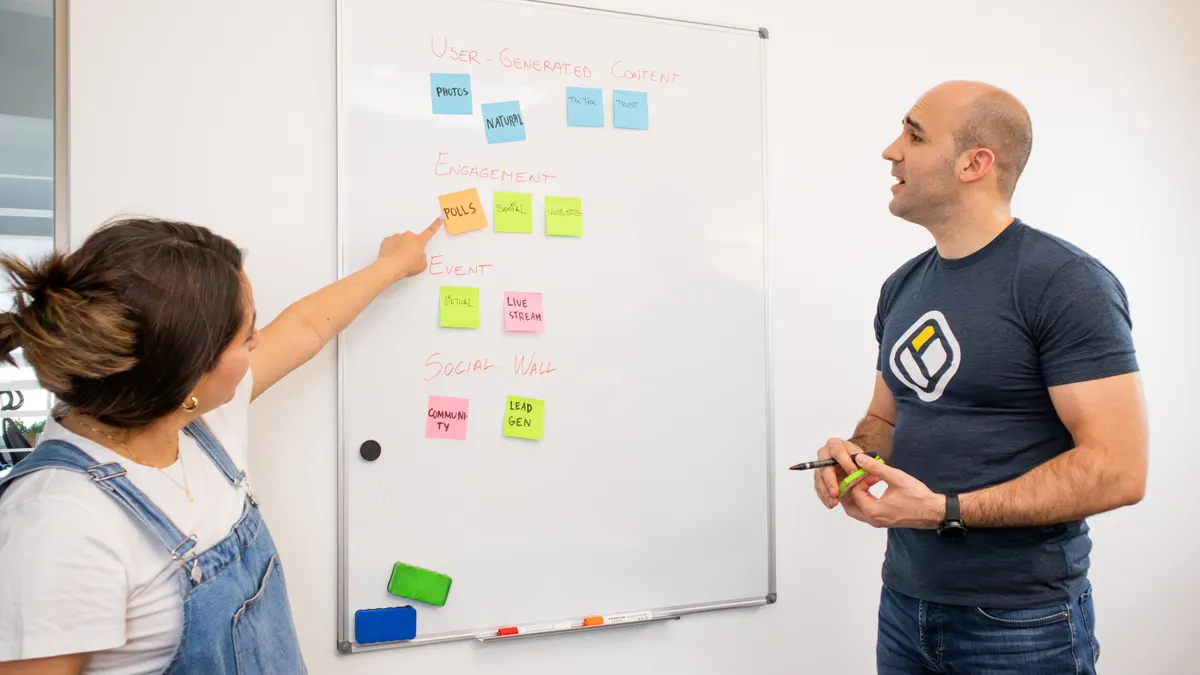
The content types should be grouped by page purpose, not by publication format alone. A taxonomy that only says “blog post,” “landing page,” and “guide” is too vague to support bulk AI production. A working taxonomy names the actual job each page performs inside the architecture.
A practical taxonomy for bulk article planning usually includes these types:
- Pillar or hub page: the main entry point for a topic.
- Spoke page: a focused subtopic that connects back to the hub.
- Definition page: explains one term in plain language.
- Comparison page: weighs two or more approaches, tools, or models.
- Process page: shows how a method works, often in stages.
- Troubleshooting page: resolves a specific failure mode or confusion point.
- Template or example page: gives a reusable structure or sample set.
- Commercial-intent page: supports a decision, such as choosing between options.
This taxonomy is useful because each page type asks for a different amount of breadth, detail, and internal dependency. A definition page can often stand on its own with 400 to 700 words. A hub page may need a much wider survey of the topic and links out to multiple spokes. A comparison page should not read like a glossary entry. A process page should not wander into broad theory when the reader needs sequence. Search Engine Journal covers internal linking strategy, and Google Search Central discusses helpful, people-first content.
The trap is to group pages by production convenience instead of reader job. That leads to a single template trying to serve eight page types. Once that happens, the bulk workflow starts forcing every query into the same mold. The result is architecture drift: the taxonomy looks orderly on paper, but the actual pages do not behave differently enough to matter.
A clean taxonomy also helps with editorial triage. If a page is labeled “spoke/comparison,” the prompt and outline can be built for contrast, not exposition. If it is labeled “hub/process,” the prompt can focus on framing, section hierarchy, and internal dependency. That label is more than metadata. It controls the shape of the article.
How do you structure bulk content into page types?
You structure bulk content into page types by assigning every topic to a role, then mapping its dependencies before any draft is written. A practical three-column plan uses topic, page type, and linked dependency.
A good mapping pass usually follows this order:
- List the topic universe. Put the 20, 50, or 200 target queries in one sheet, then group them by shared intent. The result should be clusters, not a flat keyword list.
- Mark the hub first. Name the page that should own the broadest query. This becomes the central reference point for the cluster and usually deserves the strongest internal links.
- Assign spoke roles. Label each supporting query as a definition, comparison, process, troubleshooting, or example page. The result is a taxonomy that reflects reader intent instead of search volume alone.
- Identify dependencies. Note what each page must borrow from another page, such as terminology, a broader explanation, or a comparison baseline. This keeps related pages from repeating the same 3-paragraph introduction.
- Choose the template class. Match the page type to the outline form it needs: overview, list, comparison, step sequence, or reference structure. The result is cleaner draft generation later.
- Set the workflow stage. Decide whether the page is a research-first draft, a lightly edited support article, or a final conversion page. The same architecture does not belong in every stage.
The point of this process is not to make a spreadsheet look tidy. It is to stop content types from collapsing into each other. A spoke page should not try to introduce the whole topic. A hub page should not over-explain one narrow term. A troubleshooting page should not imitate a thought-leadership essay.
One useful rule is to ask: if this page disappeared, which other page would break? If the answer is “none,” the page may not belong in the architecture at all. If the answer is “the hub,” then the dependency needs to be explicit. If the answer is “three sibling spokes,” the overlap is too high and the taxonomy needs a split.
This is where bulk systems often fail. They produce files in volume before deciding whether those files represent distinct jobs. A page-role map fixes that before the writing layer starts.
What belongs in a content architecture plan?
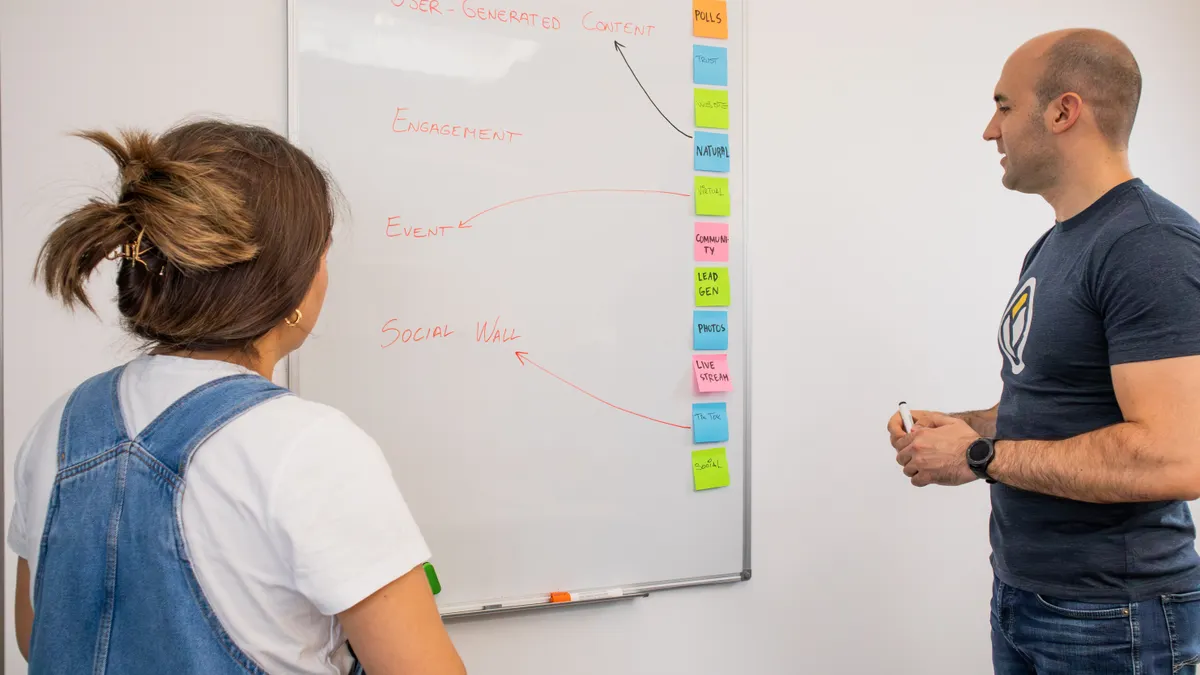
A content architecture plan should name the page role, the content type, the dependency chain, and the workflow stage for every page. That is the minimum useful structure. Without those four elements, the plan is just a topic list with better formatting.
The plan should include these fields:
- Primary query or topic
- Page role: hub, spoke, utility, or conversion support
- Content type: definition, comparison, process, troubleshooting, example
- Search intent
- Primary dependency: what the page needs from another page
- Secondary dependency: what another page will need from it
- Template class
- Workflow stage
- Owner or review path
This kind of plan does two jobs at once. It tells the writer what the page should do, and it tells the editor what the page must not do. That second part is where most value sits. If the plan says a page is a spoke definition page, the editor can reject broad topical drift before it becomes a 1,200-word problem.
The plan also protects the architecture from overproduction. Bulk AI systems tend to generate more pages than the topic cluster can support. A plan with dependency notes makes that visible early. If five pages all depend on the same missing hub, the work is not ready. If two pages are trying to answer the same query with different angles, one of them should be merged or dropped.
A strong plan also reflects the format of the page itself. A process page may need numbered steps and stage gates. A comparison page may need criteria and contrast points. A definition page may need a short answer, then context. This is where content architecture meets template choice, but they are not the same thing. The architecture says what exists. The template says how it should look.
The mistake to avoid is filling the plan with production notes and skipping structure. “Write this in 800 words” is not architecture. “This page is a spoke comparison that depends on the hub for the core definition” is architecture.
Template selection only works after the page role is set
Template selection only works after the page role is fixed, because the same template cannot serve every content type well. A 12-step how-to outline, a glossary entry, and a comparison matrix all need different section logic. If the template comes first, the architecture bends around the form, and the topic loses its shape.
A useful approach is to think in template classes rather than individual prompts:
- Overview template for hub pages
- Focused answer template for definitions and narrow questions
- Comparison template for choice-oriented pages
- Process template for staged methods
- Reference template for examples, checklists, or supporting material
That does not mean every page must look different in some dramatic way. It means the section order should match the job. A process page usually needs sequence. A comparison page needs criteria before verdict. A hub page needs navigation logic and cluster coverage. A definition page needs brevity first, expansion second.
The trade-off is that tighter template discipline can make bulk output feel less free. That is a feature, not a bug. Loose templates create more prose but less architecture. Tight templates create fewer surprises and better dependency control. For bulk AI article production, that is the right trade.
This is also where a generic article gets lazy. It says “use the same template for consistency.” Consistency is not the same as sameness. A strong content architecture keeps a site consistent in structure while preserving the distinct job of each page type. That distinction is what keeps a topic cluster from becoming a row of interchangeable articles.
If one sentence has to carry the whole point, it is this: template selection is the last structural decision, not the first one.
What goes wrong when page roles are mixed
Page roles break down when one article tries to be a hub, a spoke, and a conversion page at the same time. The cost is not just messy writing. It is wasted crawl attention, confused internal linking, and duplicate intent across multiple URLs.
The most common failure patterns are easy to spot:
- A spoke page starts summarizing the whole topic. The cost is dilution. The fix is to move broad context back to the hub.
- A hub page spends too much time on one narrow subtopic. The cost is imbalance. The fix is to split that material into a spoke.
- A definition page starts comparing tools or methods. The cost is drift. The fix is to keep it anchored to one term.
- A comparison page reads like a general guide. The cost is weak decision support. The fix is to add criteria and contrast.
- A process page becomes a theory essay. The cost is lost sequence. The fix is to restore stages and outcomes.
The reason these errors matter in bulk AI work is that they scale. One mixed-role page is an editorial problem. Thirty mixed-role pages become an architectural one. The site starts competing with itself because multiple URLs are answering the same question at slightly different widths.
A clean architecture does not eliminate overlap completely. Some overlap is normal, especially between a hub and its spokes. The difference is that the overlap is intentional and narrow. The hub introduces the topic at a higher level; the spoke owns the deeper angle. That is acceptable. What is not acceptable is two pages each pretending to be the primary answer.
A useful check is to ask whether the page can be summarized in one role sentence: “This page defines X,” “This page compares A and B,” or “This page shows how to do Y.” If the summary takes three sentences, the role is probably mixed.
How the architecture supports workflow stages
The architecture supports workflow stages by telling the production line what kind of page is entering each stage. That keeps research, drafting, review, and publishing from using the same level of effort on every asset. A definition page may need 20 minutes of research. A hub page may need a more deliberate pass because it sets the structure for the entire cluster.
A practical stage model looks like this:
- Scoping stage
- Research stage
- Outline stage
- Draft stage
- Editorial review stage
- Publish and link stage
The page role determines how heavy each stage should be. A hub page usually gets the most time at outline and review because it holds the cluster together. A spoke page may move faster if it depends on established language from the hub. A troubleshooting page may need more care in the draft stage if the risk of ambiguity is high.
This is where content architecture and bulk AI production finally meet in a useful way. The architecture does not replace workflow. It decides the workload. Without that, the team treats every page as equally hard, which wastes time and produces uneven quality. With it, the team can route pages by complexity instead of batching them by date.
There is one limitation worth stating plainly: content architecture will not rescue a bad topic list. If the cluster itself is poorly chosen, no amount of page-role mapping will make it strategic. It is also not the right tool for sites that only need a handful of pages. The overhead is real, and it pays off most when the program is large enough for dependencies to matter.
That trade-off is the honest center of the method. Content architecture is not a substitute for judgment. It is the map that keeps bulk AI writing from becoming bulk AI noise.
Key takeaways
- A bulk AI article architecture works best when page roles are assigned before drafting.
- Hub, spoke, and utility pages should not share the same brief.
- A taxonomy based on intent is more useful than one based only on format.
- Template choice should follow page role, not lead it.
- Dependency mapping helps prevent overlap, drift, and duplicate intent.
Drafted with AI; not yet reviewed by a person.